HP Planet Partners Ink and Toner Recycling: A Step Towards Sustainable Printing

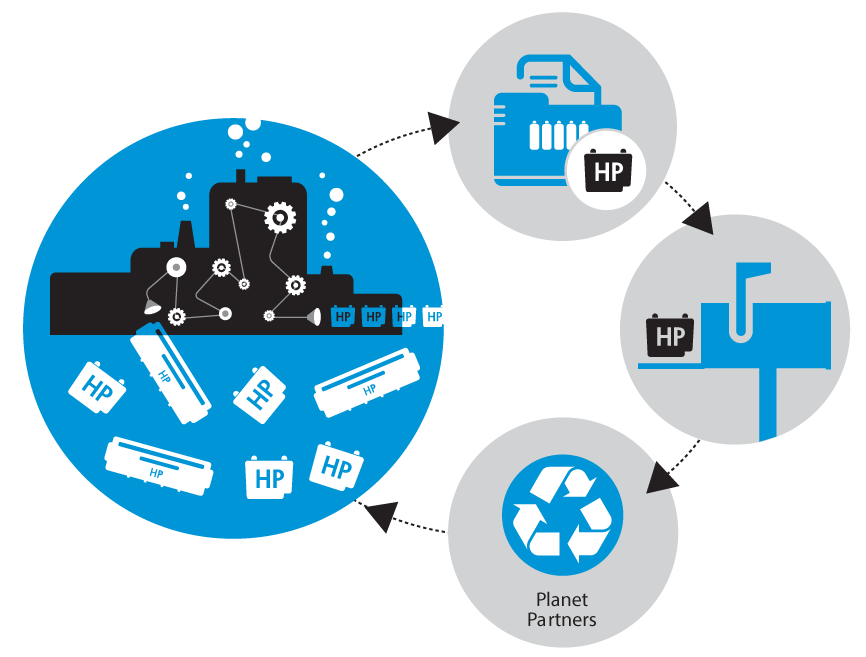
HP Planet Partners is HP’s free recycling program for original HP ink and toner cartridges. If you have a busy office, school print room, or production environment, this is one of the easiest ways to keep empties out of the trash while keeping your supply process simple and consistent.
Video: HP Planet Partners Ink Cartridge Recycling
If you prefer a quick walkthrough, this video explains the basics of HP Planet Partners recycling and how to get started.
- What you can recycle: Original HP ink and toner cartridges
- How it works: Request return materials, pack empties, ship them back
- Why it matters: Helps reduce waste and supports HP’s recycling process
What is HP Planet Partners?
HP Planet Partners is designed to make cartridge recycling practical for real world teams. Instead of tossing empty supplies, you collect them, request return materials, and send them back through HP’s program. It is a small habit that adds up over time, especially for organizations that go through cartridges regularly.
What you can recycle through HP Planet Partners
In general, HP Planet Partners recycling is intended for original HP ink cartridges and original HP toner cartridges. If you are not sure what you have on hand, check the cartridge label or your purchasing history so you are returning the right items through the right channel.
How to recycle HP ink and toner cartridges in 3 steps
Step 1: Set up one collection spot
Pick one box or bin and keep it near your printers or supply shelf. When a cartridge is empty, it goes in the bin. This is the difference between “we recycle” and “we meant to recycle.”
Step 2: Request return materials from HP Planet Partners
Use the official HP page to get the latest instructions and request return materials. This keeps the process consistent for your team.
Go to the official HP Planet Partners ink and toner recycling page
Step 3: Pack and ship when the bin is full
Once your collection bin is full, pack the cartridges and ship them back following HP’s instructions. If you run multiple printers, you can make this a simple monthly routine so it never becomes a chore.
Best practices for offices, schools, and print rooms
- Label the bin: A simple “Empty HP Cartridges” sign prevents confusion.
- Assign an owner: One person or department keeps it consistent.
- Keep it easy: The goal is a routine your team will actually follow.
- Replace supplies on schedule: Recycling works best when your purchasing process is reliable.
Need replacement ink or toner?
If you are recycling cartridges, you are probably also ordering replacements regularly. You can browse supplies here:
Printer acting up after a cartridge change?
If you are seeing banding, faded prints, color shifts, or other issues, it might not be the cartridge at all. Our team supports wide format printing environments and can help troubleshoot the real cause.
Visit our printer service page
HP Planet Partners FAQ
Is HP Planet Partners free?
HP describes Planet Partners as a free recycling option for original HP ink and toner cartridges in the U.S. Always confirm current program details on the official HP page linked above.
Can I recycle non HP cartridges?
For best results, follow HP’s guidance and recycle original HP cartridges through HP Planet Partners. Non HP cartridges may require a different recycling path.
What is the easiest way to stay consistent?
Keep 1 labeled collection bin near the printers, and set a simple routine. When the bin is full, ship. Simple beats perfect every time.
HP Planet Partners is one of the easiest ways to make ink and toner recycling part of your normal print routine.